A free sitemap component for Joomla 5 and 6. It builds a sitemap.xml file and an HTML sitemap from articles, tags, contacts, Kunena and VirtueMart, and can regenerate the map on a schedule.
JL Sitemap builds the site map through the Joomla router and saves it as a real sitemap.xml file. The file is not rebuilt on every request: hosting resources are used only while the map is being generated, and search engine crawlers receive a ready-made file. Besides the XML sitemap, the component produces an HTML sitemap for visitors and an image sitemap.
The package contains the component, support plugins for Joomla articles, tags and contacts, Kunena and VirtueMart, and a plugin that runs generation on a schedule.
Features
- Joomla menus, categories and articles are supported out of the box.
- Duplicate pages are excluded.
- Handles a practically unlimited number of pages: when the links exceed the per-file limit (50,000 by default), the map is split into several files under a sitemap index file.
- Sitemap types: sitemap.xml, HTML sitemap and image sitemap.
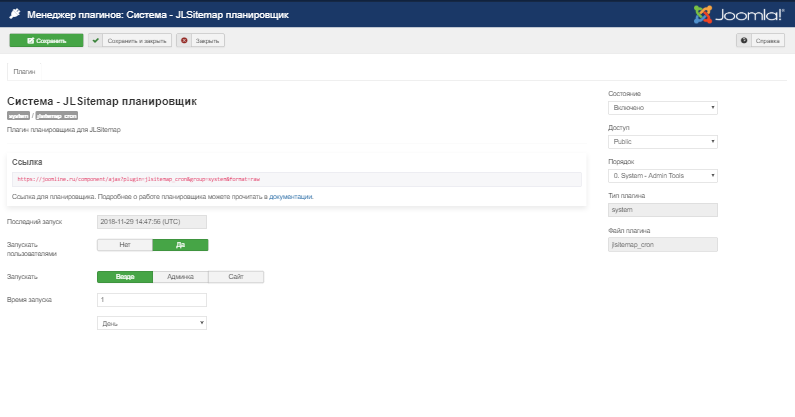
- Scheduled generation through the bundled scheduler plugin (now deprecated) and integration with the Joomla Task Scheduler.
- Generation can also be triggered by a visitor opening the site.
- Protection against accidental runs: the map is regenerated no more than once every few hours.
- Last generation indicator, shown both in the component and in the scheduler; a check that the sitemap file exists, and an option to delete it.
- Multilingual sitemaps.
- Filtering modes: simple mode (removes junk links), menu filter, stop-word filter to bring the map in line with robots.txt, and regular expressions to modify the map.
- Debug mode.
- Russian, English and German language files.
Installation and setup
- Install the package through the Joomla Extension Manager.
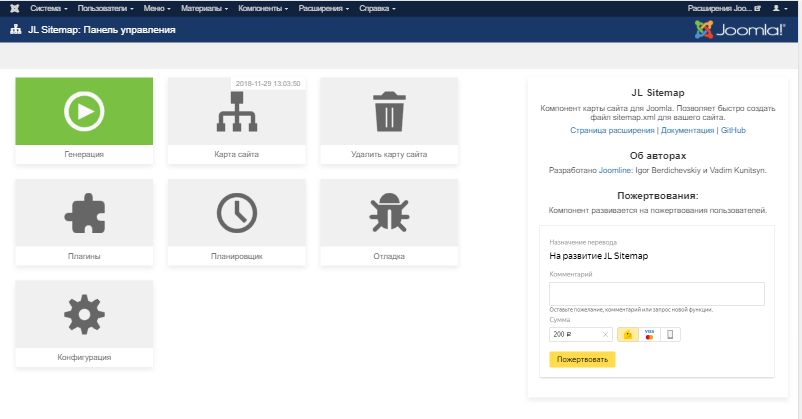
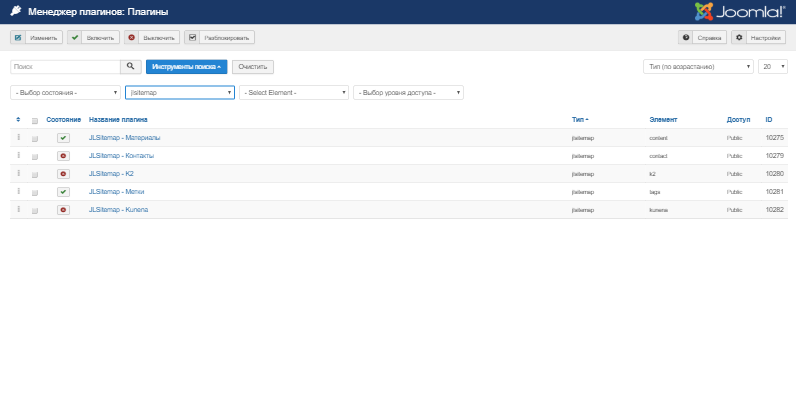
- Enable the plugins for the content types you need (articles, tags, contacts, Kunena, VirtueMart): they are disabled after installation. The Plugins button in the component control panel opens their list.
- Set up the filters in the component options, then click Generation in the component control panel; the sitemap file is written to disk.
- For automatic updates, enable the Task - JLSitemap Cron plugin and create a JL Sitemap XML generation task in the Joomla Task Scheduler (the Task Scheduler button in the component control panel). The older System - JLSitemap Cron plugin is marked as deprecated.
FAQ
After moving to a new domain, the sitemap still lists the old addresses
Sitemap files are physically created at generation time. If the site is moved and the map is not regenerated, it keeps the old links. After a move or a domain change, generate the map again.
Pages end up in the exclusions list with an access rights note
This happens when the access level of the menu item, the article or its category is not open to guests, for example Registered. Such pages are not added to the sitemap. Pages with indexing disabled are excluded for a different reason, marked Robots noindex.
Generation runs out of memory on a large site
In the support team's experience, 400 MB of memory is usually enough even for a site with more than 100,000 pages, unless third-party extensions modify routing or use excessive memory. The simplest fix is to raise the PHP memory limit.
With XSL Generation set to No, the sitemap looks unformatted in the browser
An XML sitemap is primarily meant for search engine crawlers, and text formatting makes no difference to them. XSL generation is what makes the map easy to read in a browser.
Compatibility and requirements
- Joomla 5 and 6, PHP 8.1 or later. Support for Joomla 3 and 4 has been discontinued.
- Kunena and VirtueMart maps require the corresponding components to be installed.
- Third-party plugins for JL Sitemap: JoomShopping (by Nevigen), ZOO (by Fictionlabs), SWJProjects (by Septdir Workshop).